Installation Help
Security Note: To protect your privacy, the software runs 100% locally on your PC. Therefore, Windows recognizes it as a new, independent application and asks for a one-time manual confirmation during installation.
1. Start Installation
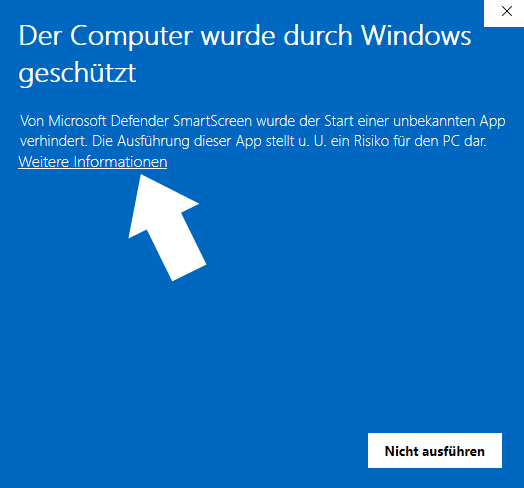
After starting the installation, the blue Windows SmartScreen appears. Please click on the link "More info".
2. Continue Installation
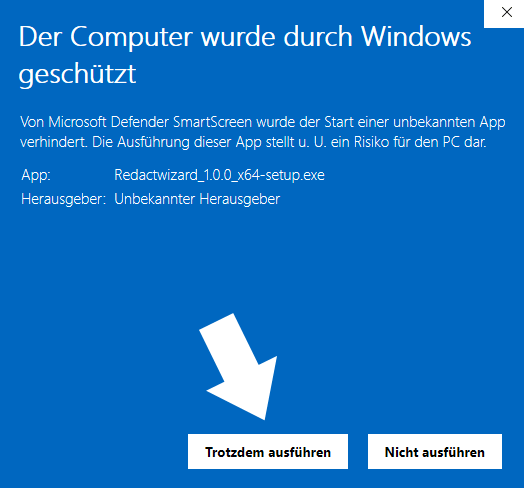
Now the button "Run anyway" will appear at the bottom right. Click on it to continue the installation.
In rare cases, Windows may report that a Microsoft Visual C++ Runtime is missing. In this case, install the official Microsoft package for Windows x64:
Download Microsoft Visual C++ Redistributable x64
After installation, restart Redactwizard. Please use only the official package provided by Microsoft.